

Share with your friends!

Share with your friends!
If you run an e-commerce shop, you’re probably already familiar with funnels and conversion rates. You’re likely aware of how important it is to remove barriers between the top of your funnel (brand awareness) and the bottom (new paying customers).
In any marketing funnel, you’ll lose people along the way.
As a business owner, you should therefore ask yourself: “How can I remove barriers so that I can convert more lost customers into paying customers?”
As a general rule, your optimisations should always be based on a high-quality template that supports WooCommerce. Building on that, however, there are many ways in which you can further improve your online shop.
To be honest, there are many ways to improve your sales funnel, including your landing pages, product pages and basket pages, all of which have an impact on your conversion rate.
But what if I told you that more than 75 per cent of all online shoppers end up abandoning their shopping trolleys? By definition, this means it’s the biggest factor affecting your shop’s turnover. And it’s also the most frequently neglected page in any WooCommerce shop: the checkout page.
No page in an online shop involves more complex user interactions than the checkout page. It features numerous fields, conditional states, total recalculations, discount codes, delivery options, payment methods, and so on.
The truth is that most checkout pages have been designed by developers who, whilst knowing what is required to successfully complete an order, are clearly unable to create an intuitive user experience.
Services such as Shopify have capitalised on this. Their ‘design-first’ approach has made it easy for retailers to set up shops which, whilst not as customisable, offer end customers a much better experience.
Not convinced? Compare Shopify’s default checkout page with WooCommerce’s default checkout page:

Which form would you rather fill in?
Your online shop doesn’t have to look so cluttered. WooCommerce can work just as well as Shopify, but you’ll need to make a few tweaks.
Below you will find the best tips for optimisation.
The checkout should not only be functional and high-performing, but also visually appealing. We like to take our cue from the design guidelines of industry leaders such as Shopify, so that we can be confident the design patterns we use have already been tried and tested by millions of shops. This checkout has undergone dozens of A/B tests and conversion optimisations.
Particularly when working with smaller budgets, it is often better to rely on studies and best practices, as you are unable to carry out time-consuming A/B tests and optimisations yourself.
Studies show that multi-step checkouts generally perform better than single-page checkouts. This is particularly true for online shops that sell products requiring delivery.
A multi-step checkout process encourages customers to focus on a single context and area of information at a time. Instead of presenting them with 30 fields, we show them just a few within a specific category and guide them gently through the process.
So we should do everything we can for the customer so that they don’t have to do things themselves. Anything they don’t have to do themselves increases the likelihood that they will become a paying customer.
We are automating a few elements of the checkout page:
Once someone has entered their country and postcode, it’s easy to look up their town and county, so that’s exactly what we’ll do. That’s at least two fields your customers won’t have to worry about!

When a customer fills in the checkout form, we store the value of each field in the user’s local browser storage. This means that when the customer refreshes the page, all the data and options they have selected are magically retained.
Gone are the days of crashed browser tabs and accidental refreshes that force customers to start all over again.
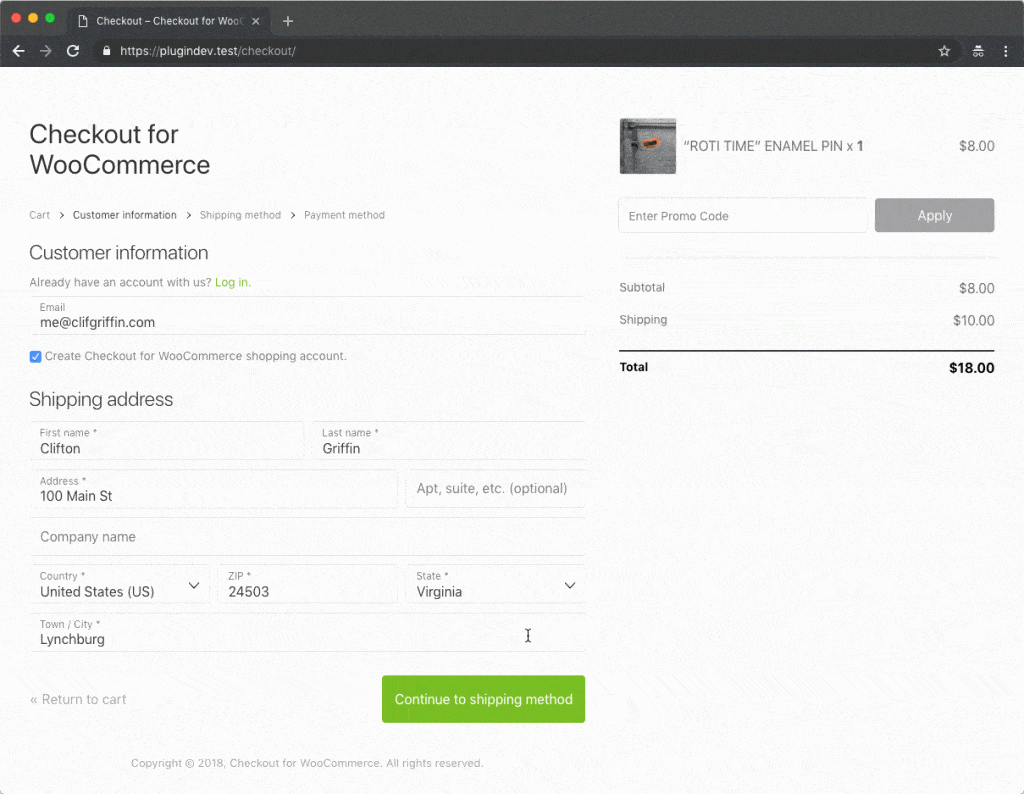
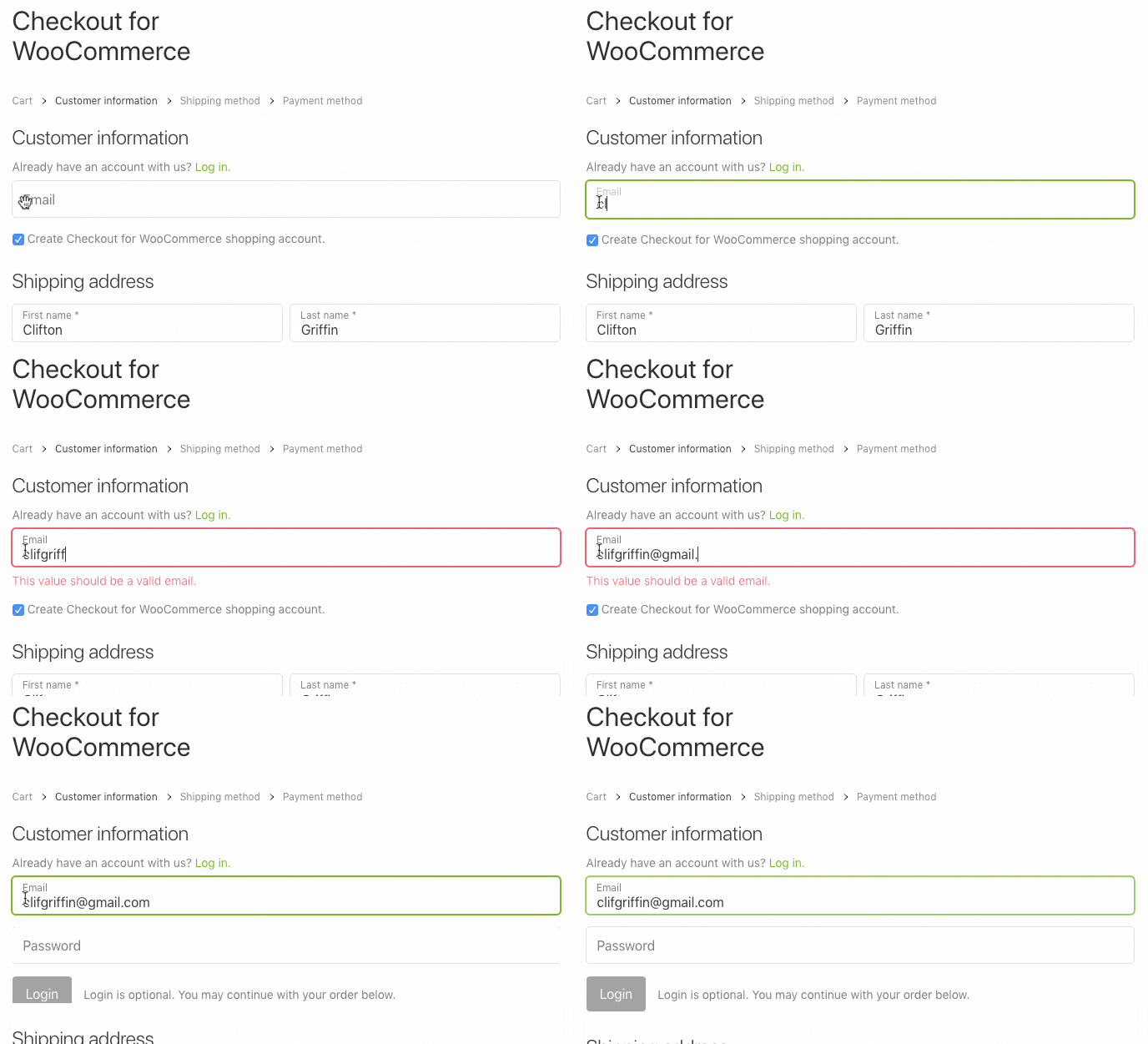
When a user enters their email address, we should check in real time whether they have an existing account. If so, we display the password field.
If this is not the case, the password field remains hidden and the ‘Create account’ tick box is automatically ticked for the user. This means that your customers do not have to try to remember whether they have an account, nor do they have to worry about the details of creating a new one.
Whether you’re using an iPhone or an Android phone, or Safari or Chrome on your desktop, the quickest way to place an order is via Apple Pay or Google’s payment buttons.
If you use the Stripe gateway, PayPal Express or Amazon Pay, your customers can skip the queue and place their orders more quickly.

If you have the right product and are targeting the right customers, reducing the bounce rate in your funnel will lead to more sales. It’s simple maths.
Every improvement you make to your ordering process will lead to more customers and, consequently, higher turnover. What’s more, your customers will be happier when they order from you. And happy customers are loyal customers who will recommend your shop to others. A great checkout page has a major impact on how customers feel about their purchase, and if you make a good impression, you’ll set yourself up for greater success in the future.